How to Place an Order
To place an order with our team, you have two convenient options. Choose the method that best suits your needs.
Option A: Using the Requisition Form (Current Process)
- Access and Complete the Requisition Form:
- Click on the provided link to access the Requisition Form.
- Ensure that you accurately enter the Job Names with their Job Number, as every project has different jobs. Be cautious with your inputs, as they will directly affect the order placement.
- Download and Send the Form:
- Once completed, download the form.
- Send the downloaded form to HBT_Ordering_CLT@hbtech.com & CC yaiza.mondragon@hbtech.com.
If you’ve received a quote from a vendor, please complete the Requisition Form with the quote details and send it to Yaiza Mondragon.
Option B: Using Smartsheet Workspaces (Upcoming Process)
To place an order using this method, the Project Manager must ensure that the submittals BOM have been added to the Procurement Log. If you need any assistance with this process, feel free to reach out to the Procurement Specialist.
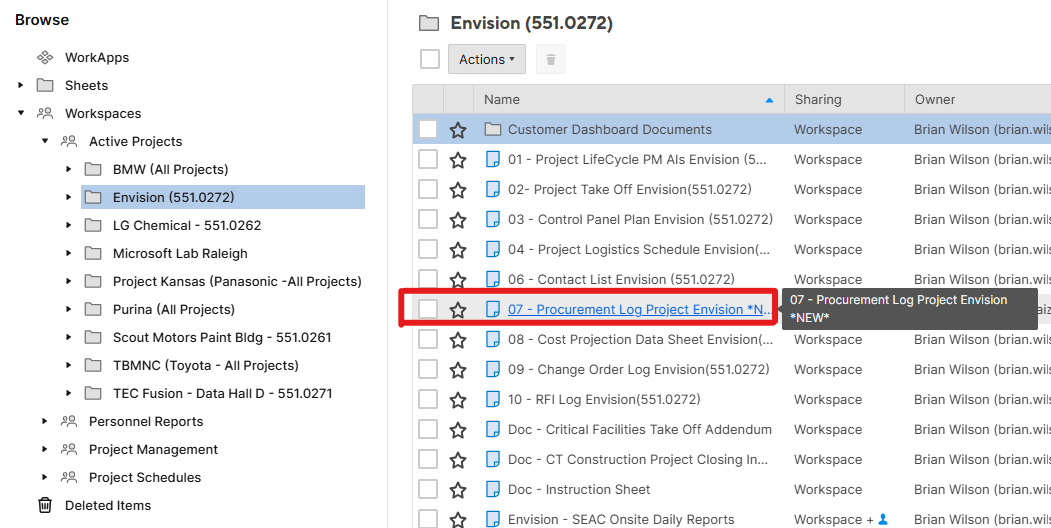
- Access Smartsheet Workspaces: Open Smartsheet Workspaces and navigate to your project.
-
Select Your Project: Under the "Active Projects" section, click on your project name.
-
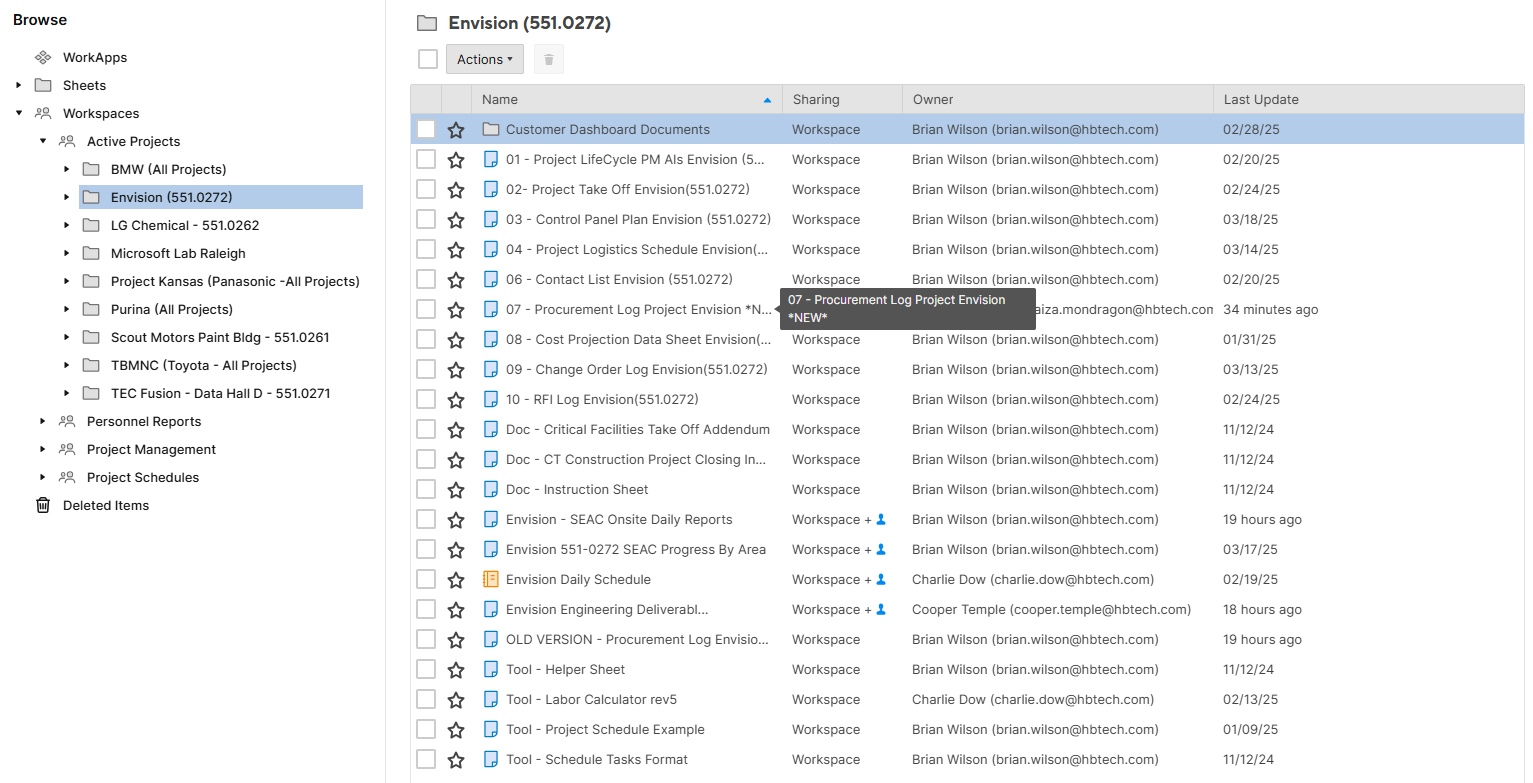
Locate the Procurement Log Sheet: Proceed to the folder containing the Procurement Log Sheet.
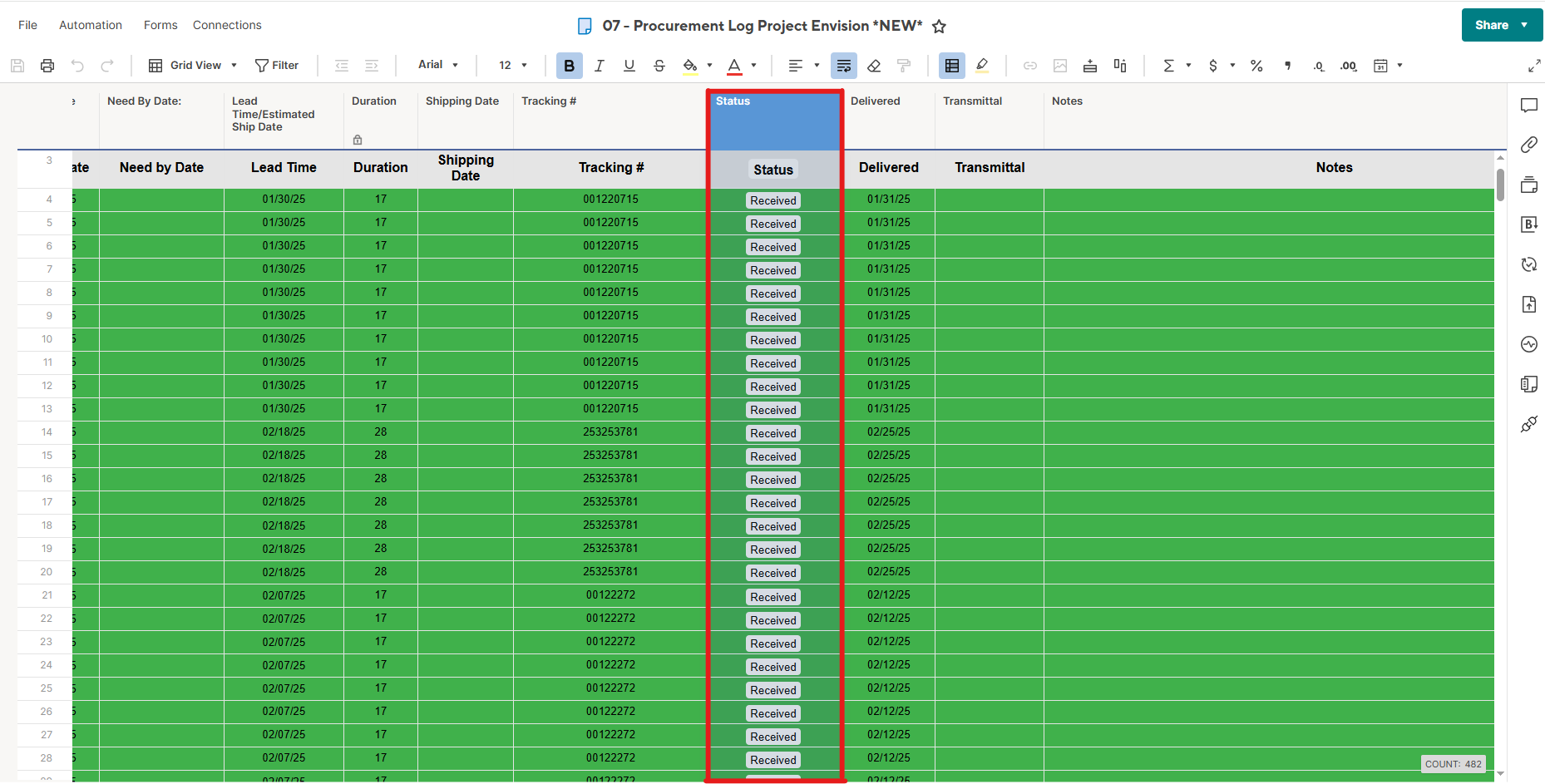
- Open the Procurement Log: Open the Procurement Log and locate the "Status" column.
-
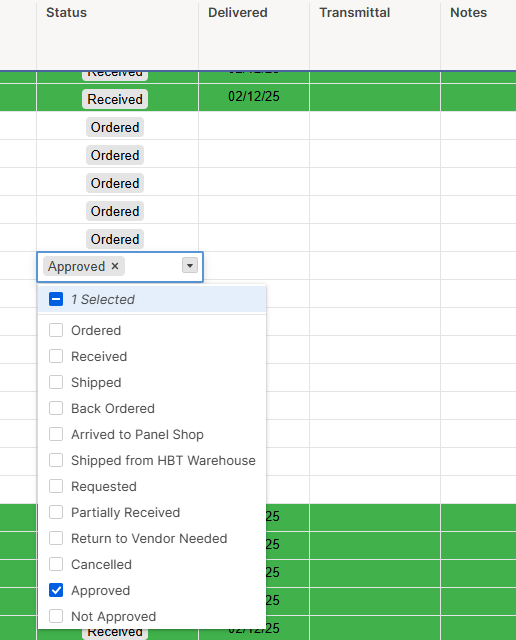
Identify the Task Name & Status: Identify the task you wish to order and select the cell in the Status column that corresponds to it. Click on the downward-facing arrow in this cell.
-
Update the Status: From the dropdown options, select "Approved." This selection will confirm that your part has been approved and will send us an email regarding your order request.
Proocurement Process Status Overview
| Status | Description | Responsible Party |
|---|---|---|
| Approved | Submittal has been approved | Project Manager |
| Requested | Form has been submittted | Procurement Team |
| Ordered | Order has been placed | Procurement Team |
Revision History
| Revision | Date | Name | Description |
|---|---|---|---|
| 1.0.0 | 3/25/2025 | Sneha Karnik | Initial Implementation |
| 1.0.1 | 7/09/2025 | Sneha Karnik | Point of contacts |